ISEE-CAM Industrial AI Safety Camera
Technical Specifications
| Anti-vibration | ISO 16750-3 2012 (5.9G) |
|---|---|
| Input voltage | DC 12–24 V |
| Frame rate | 25/30 |
| Resolution | 1920 × 1080 |
| Operating temperature | -20 ~ +70 °C |
| Ingress protection (IP) | IP69K |
| Dimensions | 95 × 60 × 70 mm |
| Weight | 500 g |
| Detection modes | 22 |
See how ISEE-CAM outputs work together with the machine's safety system in the ISEE-CAM PLC integration guide.
Detection Modes
22 configurable detection modes on a single ISEE-CAM device.


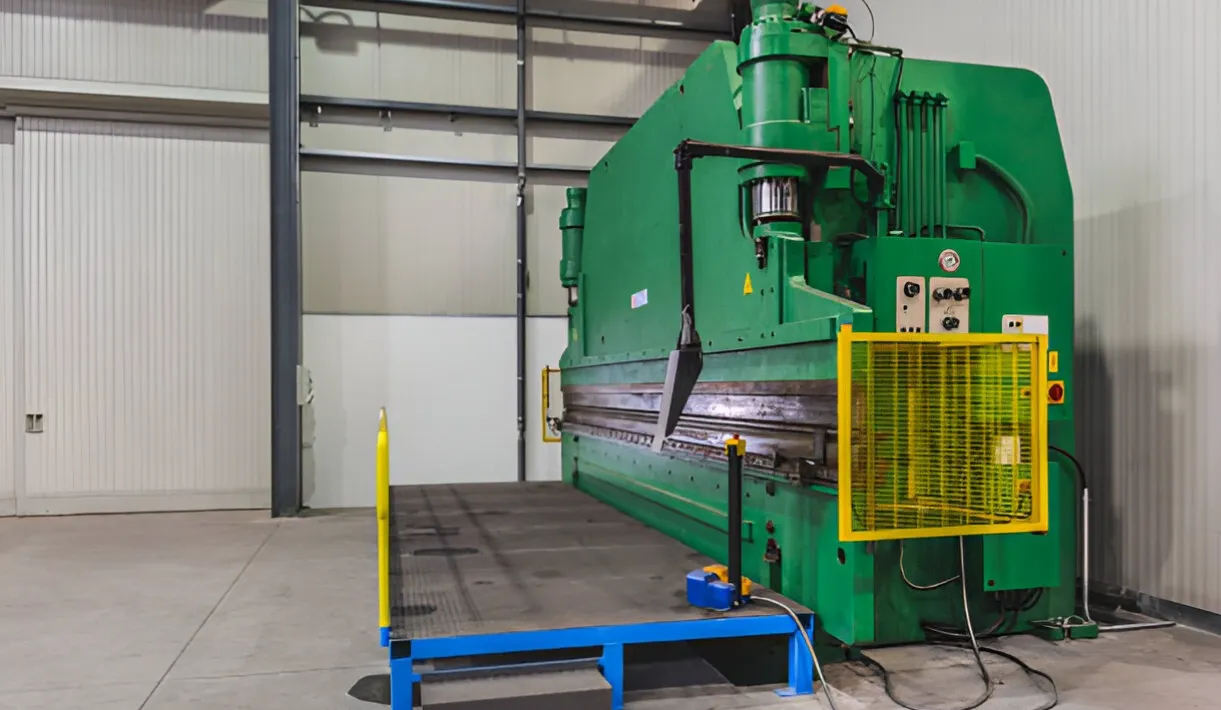


ISEE-CAM operates 24/7 on edge hardware with no cloud dependency, detecting personnel, forklifts, PPE violations, and hazardous zone intrusions in real time. Select a detection mode below to explore technical specifications and deployment examples.

Mode 0 turns any no-go area into a monitored zone. ISEE-CAM watches the zones you draw, up to 25 m from a wall or pole mount, and reacts the moment a person crosses the line: a siren, a beacon, a projected warning, an e-mail or a signal to your PLC. It runs around the clock without tags, badges or an extra server.

Mode 1 mounts ISEE-CAM above the hazard, up to 10 m high, looking straight down. From that bird's-eye view it detects people inside the zones you draw, even where stacked material, tall machines or bunker walls hide them from a side camera. A detection switches a siren, beacon or PLC signal within 100 ms, 24/7.

Mode 2 counts every person who crosses a line at a door, gate or stairway and keeps a live headcount of the area behind it. ISEE-CAM looks down from up to 10 m, and several cameras can share one count across multiple entry and exit points. The count drives up to 3 outputs, e-mails and reports, so a process can wait until the area is empty.

Mode 3 counts people entering and leaving an area and sorts them into helmeted and non-helmeted. ISEE-CAM looks down from up to 10 m, so the hard hat is seen clearly from above. The two counts drive 3 outputs in the scenarios you define: an audible warning, a machine lockout while a person without a helmet is inside, or a release once the area is empty.

Mode 4 watches the areas where forklifts are not allowed to go: pedestrian walkways, assembly cells, hygiene zones, cold room doorways. When ISEE-CAM sees a forklift cross into one of these zones, it fires a siren, beacon or floor projection, logs the event, and can slow or stop compatible trucks through additional hardware fitted on the forklift.

Mode 5 is a forklift collision warning for places where trucks and people share space: narrow aisles, loading docks, freight elevators, cross-traffic points. ISEE-CAM reacts only when a forklift and a person are in the same zone at the same time. It then sounds an alarm for the pedestrian, warns the driver and, with additional on-truck hardware, slows or stops compatible forklifts.

Mode 6 watches the face of your warehouse racks and detects anyone climbing them. When a person appears on the rack levels you mark as off-limits, ISEE-CAM sounds a siren, flashes a beacon or projects a warning, and e-mails a snapshot report. It covers people up to 25 m away and can also flag missing harnesses or helmets at height on request.

Mode 7 checks that an area never has fewer people than it should. You set the zone and the minimum headcount in the web interface; ISEE-CAM counts the people present, up to 25 m away, 24/7. When the number drops below the minimum, it raises a siren or light, sends an e-mail, signals the PLC or intervenes in the process.
Questions & Answers
Frequently asked questions
How many ISEE-CAM cameras do I need?
Usually one camera per zone you want to watch. One camera can hold several zones and detects people up to about 25 m, forklifts up to 20 m and PPE up to 15 m away, so a press, a crane bay or a dock door is typically one camera. You need more cameras when racks, machines or stacked material block the view, or when a zone is longer than the range. Send us a site plan or a few photos and we size it with you, or we count it together during a free discovery visit.
Can you use the cameras we already have?
Sometimes, and it is decided per project. ISEE-CAM is an all-in-one camera with the AI built in, which is the fastest route. For cameras you already own, we first test recorded footage from them: the angle, resolution and lighting decide whether the analysis can run on them through a central AI server. Send a short clip from each camera and we tell you which ones can be used.
Does one detection mode check everything in its zone?
No. Each mode is trained for one job, and each mode page says what it does not do. The crane mode, for example, detects people under the load; it does not check seat belts or PPE. Helmet and vest checks are Modes 20 and 21, and hands near a machine are Mode 19. If you need two checks in one place, tell us both and we plan the cameras and modes together.
Can we see a demo without stopping production?
Yes. We can run the detection on footage from one of your existing cameras or on sample recordings of the hazard you want to cover, so your line keeps running. For quality inspection, a demo can run on sample parts with known defects. After that, a free discovery visit shows ISEE-CAM live at your site.
Can we start with one zone as a pilot?
Yes, and we recommend it. Most projects start with one critical zone, such as a press, a crane bay or a dock, to confirm detection and outputs in your own conditions. When the pilot works, more zones and cameras are added with the same setup.
Do you supply plants outside Türkiye?
Yes. We also work with plants outside Türkiye, including groups that roll ISEE-CAM out to their sites in other countries after a first installation. Tell us the country, the site and the zones, and we plan delivery and commissioning for that project.
What should we send to get a quote?
Four things speed it up: the hazard or mode you need, a photo or short video of the area, how many cameras you already have there (if any), and what should happen on a violation: a horn or beacon, an e-mail, or a signal to your PLC. Send them through the contact form or to info@isee-vision.com.
ISEE-CAM
Let's plan an ISEE-CAM deployment for your site.