Mode 7 · Minimum staffing
Minimum personnel presence in critical areas
Mode 7 checks that an area never has fewer people than it should. You set the zone and the minimum headcount in the web interface; ISEE-CAM counts the people present, up to 25 m away, 24/7. When the number drops below the minimum, it raises a siren or light, sends an e-mail, signals the PLC or intervenes in the process.
- Minimum headcount you set
- Detects people up to 25 m
- Siren, e-mail, PLC or intervention

How minimum staffing monitoring detects an understaffed area
Many safety rules are about who must stay, not who must stay out. A control room that must always have two operators, a hazardous job that needs a second person watching, an attendant who must remain at a confined-space entry. These rules are written in procedures and permits, but nobody checks them minute by minute. When one person leaves for a moment, the rule is broken and no one knows. Mode 7 watches the headcount and reacts when it falls short.
01 · Zone
Control room, workstation or entry point
02 · Trigger
Fewer people than the set minimum present
03 · Outputs
- Audible or visual warning
- E-mail with snapshot to supervisors
- PLC signal or process intervention
Step 1
Set the zone and the minimum
In the web interface you draw the area that must stay staffed, such as the operator desks in a control room or the entry of a tank, and enter the minimum number of people. The customer can change both at any time, for example when a process step needs more staff.
Step 2
Count who is present
ISEE-CAM detects the people inside the zone up to 25 m away, around the clock, without badges or extra hardware. Large or split areas can be covered by several cameras working together as a multi-camera setup. Video is processed on the camera and stays on site.
Step 3
React when the count falls short
If fewer people than the minimum are in the zone, ISEE-CAM switches its outputs in under 100 ms. A horn or beacon tells the person left alone, an e-mail with a snapshot reaches the supervisor, and a PLC signal can pause the hazardous step.
Two-person rules and watcher roles Mode 7 supports
Control and security rooms
Rooms where a two-person rule applies, such as process control rooms or security monitoring rooms. If only one operator is left at the desks, a local signal and an e-mail go out so the second person returns or a replacement is sent.
Hazardous work with a watcher
Tasks that must not continue unless a second person is watching, such as work on a running line or at height. When the watcher leaves the zone, the PLC can pause the equipment until two people are present again.
Confined-space entry
Tanks, silos and pits where an attendant must stay at the entry while someone works inside. A camera on the entry zone checks that the attendant is present and alerts the supervisor the moment the post is empty.
Production stations
Stations that need a minimum crew to run safely and at the planned rate. The reports show how often the station ran short-staffed, which supports both OHS and work efficiency reviews.
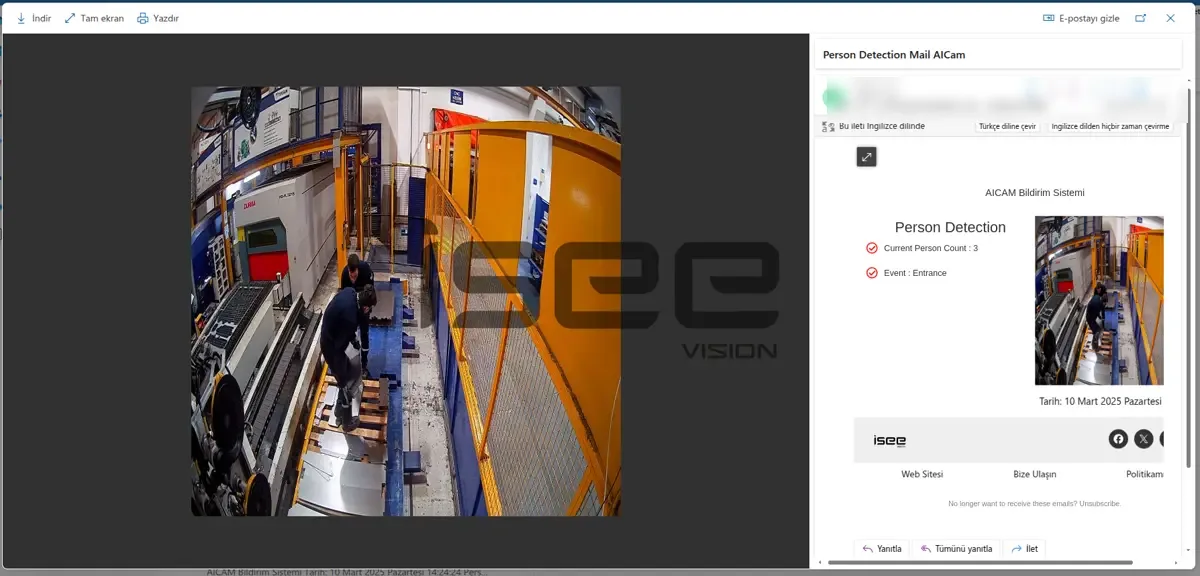
Minimum personnel check specifications
- Detection target
- People present in the zone, counted against a minimum
- Detection range
- Up to 25 m from the camera
- Settings
- Zone and minimum headcount set by the customer in the web interface
- Outputs
- 1 input, 3 dry-contact outputs; e-mail; OPC-UA, Modbus TCP, REST API
- Coverage
- Single camera or multi-camera setup for larger areas
- Processing
- On the camera, no cloud; alert-to-output latency under 100 ms
Before you rely on a camera for a staffing rule
- The whole staffed zone must be visible to the camera; desks, partitions or equipment that hide people should be considered when choosing the mount.
- The minimum headcount and the response (warning only, or pause) should match your written procedure or permit-to-work rule.
- Mode 7 counts people; it does not check who they are, their qualification or whether they are paying attention.
- A camera alert supports, but does not replace, rescue plans, gas monitoring and communication equipment required for confined-space work.
Camera check vs. procedures, check-ins and lone-worker devices
Staffing rules are usually enforced on paper; this is what each method actually verifies.
| Method | Covers | Gap |
|---|---|---|
| Written procedure or permit | Defines who must be present | No check once the job starts |
| Periodic radio or phone check-in | Confirms people are reachable | Gaps between calls; says nothing about location |
| Lone-worker device | Alerts when one worn device signals a problem | Tracks one person, not whether the second is there |
| ISEE-CAM Mode 7 | Counts people in the zone 24/7 against a minimum | Needs line of sight; does not identify people |
Questions & Answers
Frequently asked questions
Can Mode 7 enforce a two-person rule in a control room?
Yes. Set the control room desks as the zone and the minimum to 2. Whenever only one person, or nobody, is detected there, ISEE-CAM gives a local warning, sends an e-mail and can switch an output to your control system.
Does it know whether the right people are present?
No. Mode 7 counts people; it does not recognize faces or check qualifications. It answers one question reliably, how many people are in the zone right now, and leaves the question of who should be there to your procedures and access control.
Can it pause a machine when the watcher leaves?
Yes, through a dry-contact output or an industrial protocol to the PLC. The pause is wired into the machine's control by a qualified electrician and works alongside its safety system. You can start with a warning only and add the pause later.
How is Mode 7 different from Mode 8 and Mode 9?
Mode 7 alarms when too few people are present. Mode 8 is the opposite: it alarms when an area holds more people than allowed. Mode 9 tracks how long people stay in a zone, for example in a cold room.
Can the minimum change during the day?
Yes. The zone and the minimum headcount are set in the web interface and can be changed by your team. The trigger input can also arm the check only while a hazardous step is running, so normal breaks outside that step do not cause alarms.
Can Mode 7 be used for lone worker monitoring?
It covers one part of it. With the minimum set to 2, ISEE-CAM alerts as soon as one person is left working alone in the zone, by horn, e-mail or PLC signal. It does not detect falls or a worker in distress; for that, pair it with a worn lone-worker device.
Plan a tailored deployment
Tell us which area must stay staffed, the minimum number of people and what should happen when it drops. A photo of the room or entry point is enough for us to propose the camera position.