Mode 8 · Occupancy limit
Maximum occupancy monitoring for hazardous zones
Mode 8 counts how many people are inside a zone you define and reacts when there are more than you allow. As soon as the headcount goes over the limit, ISEE-CAM switches a beacon or siren, sends an e-mail, signals the PLC or blocks the process. It runs 24/7, detects people up to 25 m away and needs no badges or turnstiles.
- People counted up to 25 m
- Limit set per zone
- Beacon, e-mail or PLC signal
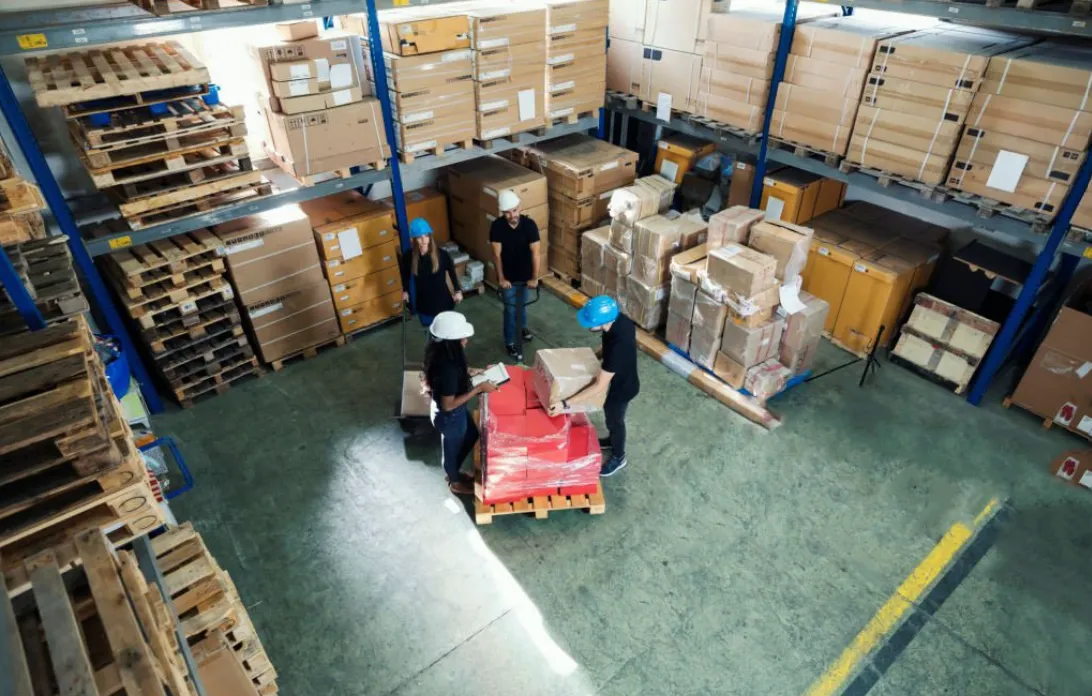
How the camera enforces an occupancy limit
Many work areas are safe for two people and unsafe for five: a loading platform beside a moving truck, a mezzanine with a rated capacity, a cleanroom gowning area, a confined space with one rescue plan. The limit is usually written on a sign and enforced by whoever happens to be watching. When a job gets busy, extra helpers drift in and nobody counts. Mode 8 counts continuously and calls out the moment the area holds one person too many.
01 · Zone
Area with a maximum number of people
02 · Trigger
Headcount in the zone exceeds the set limit
03 · Outputs
- Beacon or siren on site
- E-mail with snapshot
- PLC signal or process block
Step 1
Count everyone inside the zone
ISEE-CAM looks at the whole area from one position and detects each person inside the polygon you draw, up to 25 m away. Because it counts presence rather than entries, the number stays correct even when people come in from several sides or stand still for a long time.
Step 2
Compare with your limit
In the web interface you set the maximum number of people for each zone. The camera compares its live count with that limit continuously, day and night. Change the limit when the task changes, for example a lower number while a truck is being loaded and a higher one during cleaning.
Step 3
React the moment it is exceeded
When the count goes over the limit, a dry-contact output switches a beacon or siren within 100 ms, and an e-mail with a snapshot goes to the supervisor. The output can also signal a PLC to hold the process. Every violation is logged for daily, weekly and monthly reports.
Field footage
Headcount violation on a truck loading platform
Too many people on a loading platform
This clip comes from a truck loading platform at a beverage plant. The camera counts the workers standing on the platform next to the truck. While the number stays within the limit, nothing happens. When one more person steps onto the platform, the headcount goes over the limit, the violation is flagged in the camera view and the beacon on the platform starts flashing.
Where maximum occupancy monitoring is used
Loading docks and platforms
Raised platforms beside trucks where a fixed crew loads crates or pallets. Extra people on the platform get in the way of forklifts and sit close to the edge; Mode 8 flags the crowd before it becomes a near miss.
Mezzanines and elevated platforms
Platforms, walkways and maintenance decks with a maximum number of people set by design or by the site's risk assessment. The camera counts everyone on the deck and warns when the number goes over the limit.
Cleanrooms and hygiene zones
Pharmaceutical and food areas where the number of people inside affects contamination risk. A beacon at the entry shows that the room is full, and the reports show how often the limit is broken.
Hazmat and confined work areas
Chemical stores, test areas and enclosed spaces where the emergency plan is written for a set number of people. Mode 8 keeps the real headcount within that plan and alerts the supervisor when it is not.
Occupancy limit mode specifications
- Detection target
- People inside the defined zone
- Detection range
- Up to 25 m from the camera
- Limit
- Maximum headcount set per zone in the web interface
- Outputs
- 1 input, 3 dry-contact outputs; OPC-UA, Modbus TCP, REST API
- Notifications
- Beacon, siren, e-mail with snapshot, PLC signal
- Coverage
- Single camera, or multi-camera module for larger areas
- Processing
- On the device, alert-to-output under 100 ms, no cloud
What a reliable headcount needs on site
- A mounting point that sees the whole zone; people hidden behind stacked goods or machinery cannot be counted.
- For areas no single camera can see, use the multi-camera module or count entries and exits at the doors with Mode 2.
- Very dense groups standing shoulder to shoulder can hide each other from a low angle; mount higher or more overhead for crowded zones.
- Mode 8 enforces a number you set; the limit itself comes from your risk assessment, structural rating or emergency plan.
Occupancy camera vs. signs, badges and turnstiles
Each method counts something different; only some of them count the people actually standing in the zone.
| Method | Covers | Gap |
|---|---|---|
| Capacity sign and supervisor | States the limit, relies on someone checking | Nobody counts during a busy job |
| Badge readers at the door | Counts badges swiped in and out | Tailgating and missed swipes skew the number |
| Turnstile with counter | Hard limit at a single entrance | Only works where there is one controlled door |
| ISEE-CAM Mode 8 | Counts people inside the zone and alerts on overrun | Needs a clear view of the whole zone |
Questions & Answers
Frequently asked questions
How is Mode 8 different from a people counter at the door?
A door counter adds entries and subtracts exits, so one missed crossing leaves the number wrong for the rest of the shift. Mode 8 counts the people it sees inside the zone at every moment. It works on open areas with no doors at all, like a platform or a deck.
Can we set different limits for different zones?
Yes. Each zone has its own maximum, set in the web interface. One camera can watch a zone with its own limit, and larger sites use several cameras, each with its own zone, or the multi-camera module when one area needs more than one view.
What happens when the limit is exceeded?
The camera switches a dry-contact output, typically a beacon or siren in the area, within 100 ms. It can also e-mail a snapshot to the supervisor, send a signal to the PLC and log the event.
Does it record who was in the area?
No. Mode 8 detects people and counts them; it does not identify anyone. Images are processed on the camera and do not go to a cloud. The event log stores the time, the zone and a snapshot for the report.
Can it also warn when there are too few people?
That is a separate mode. Mode 7 alerts when fewer people than required are present, for example under a two-person rule. Both can be set up on the same site, each with its own zone and outputs.
Plan a tailored deployment
Send us a photo or short video of the zone, the maximum number of people allowed and how you want to be alerted. We will propose the camera position and the zone layout.