Mode 9 · Dwell time
Dwell time monitoring for cold rooms and contaminated zones
Mode 9 measures how long each person stays in a zone where time itself is the hazard: a cold room, a freezer corridor or a contaminated area. You set the maximum stay in the web interface. When someone is still inside after that time, ISEE-CAM triggers a siren, an e-mail or a PLC signal in real time. It detects people up to 25 m away.
- Time limit set per zone
- People detected up to 25 m
- Optional PPE check in the zone

How dwell time monitoring tracks each person
In cold storage and contaminated zones, the risk grows with every minute inside. A picker who stays too long in a freezer chamber, a worker alone in a decontamination area, someone who cannot find the exit: none of these trigger a door alarm or a gas sensor. Sites rely on time sheets, buddy rules and the next person who happens to walk in. Mode 9 starts a clock for each person the camera sees and calls for help when it runs out.
01 · Zone
Cold room, freezer aisle or contaminated zone
02 · Trigger
A person stays longer than the set time
03 · Outputs
- Siren or beacon at the door
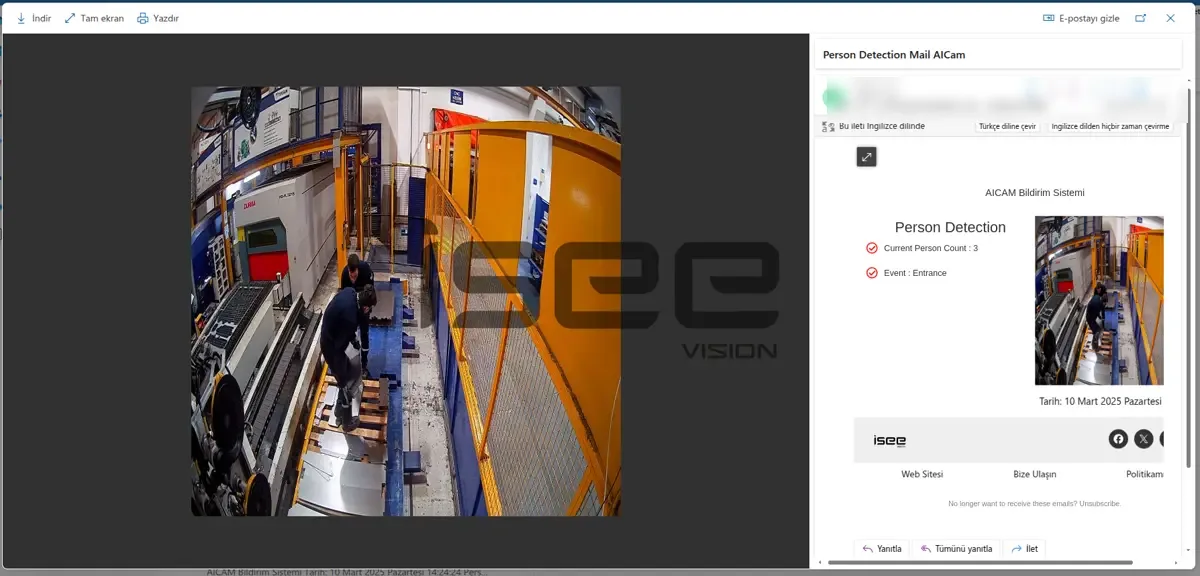
- E-mail alert with snapshot
- Signal to PLC or BMS
Step 1
Start a timer for each person
ISEE-CAM watches the zone you draw and detects each person inside it, up to 25 m away. From the moment someone is detected, the camera counts how long they have been there. Several people can be in the room at once; each has their own timer, so a short visit does not hide a long one.
Step 2
Compare with the maximum stay
In the web interface you set the maximum dwell time for each zone, for example a shorter limit for a freezer chamber and a longer one for a chilled packing room. If the site wants it, a PPE check can run in the same zone, so a person without the required equipment is flagged too.
Step 3
Alert before it becomes an emergency
When a person passes the limit, a dry-contact output switches a siren or beacon within 100 ms and an e-mail with a snapshot goes to the shift supervisor. The output can also be sent to a PLC or building system. Every overstay is logged for daily, weekly and monthly reports.
Cold storage worker safety and other dwell time uses
Cold storage and frozen food logistics
Pickers work in freezer chambers for short, planned periods. Mode 9 alerts the supervisor when someone stays past the set limit, which can mean a problem inside, a lost picker or a worker who ignored the break rule.
Meat, dairy and food processing
Chilled rooms and blast-chill corridors where staff go in alone to move product. The camera acts as a lone-worker check: if a person does not come out in time, someone outside is told immediately.
Contaminated and decontamination zones
Areas where exposure must be limited, such as chemical handling rooms or decontamination areas. Mode 9 times each stay and, with the optional PPE check, also flags a person without the required mask.
Hot or noisy process areas
Zones near furnaces or loud equipment where the site's risk assessment limits time spent inside. The same dwell logic applies; only the zone and the limit change.
Dwell time mode specifications
- Detection target
- People inside the defined zone, timed individually
- Detection range
- Up to 25 m from the camera
- Settings
- Zones and maximum dwell time set in the web interface
- Optional check
- PPE in the same zone, configured per site
- Outputs
- 1 input, 3 dry-contact outputs; OPC-UA, Modbus TCP, REST API
- Operating temperature
- −20 to +70 °C, IP69K housing
- Processing
- On the device, alert-to-output under 100 ms, no cloud
Before you install in a cold room or clean zone
- The camera is rated down to −20 °C. For freezer rooms colder than that, the mounting position is agreed during the pre-study.
- Mount away from the door's warm air stream where the lens could fog, and keep the whole zone in view; racking can hide people at the back of a room.
- Mode 9 measures time in the zone. It does not detect a fall or a person who has fainted; that is a separate mode.
- It works alongside the room's own safety equipment, such as the inside door release and alarm button, and does not replace them.
Dwell time camera vs. buddy rules, alarm buttons and wearables
Lone-worker measures work well when the person can act; this is where each one depends on that.
| Method | Covers | Gap |
|---|---|---|
| Buddy rule and sign-in sheet | Someone knows who went in | Relies on people remembering to check the clock |
| Inside alarm button | Lets a trapped person call for help | Only works if the person can reach and press it |
| Wearable lone-worker device | Alerts on inactivity or a pressed button | Must be issued, charged and worn by everyone |
| ISEE-CAM Mode 9 | Times every person it sees and alerts on overstay | Needs a view of the zone and stays above −20 °C |
Questions & Answers
Frequently asked questions
Does the camera track each person separately?
Yes. Each person detected in the zone gets their own timer. If one picker leaves after five minutes and another stays on, only the one who passed the limit triggers the alert. You do not need tags or sign-in sheets for the camera to know how long someone has been inside.
Can ISEE-CAM work inside a cold room?
Yes, within its rating. The housing is IP69K and the camera operates from −20 to +70 °C, which covers chilled rooms and many freezer areas. For colder chambers we look at the layout and agree a mounting position before quoting.
Who gets the alert, and how?
The person outside does. A dry-contact output can drive a siren or beacon at the door or in the control room, and an e-mail with a snapshot goes to the supervisor. The signal can also be sent to a PLC or building management system through OPC-UA, Modbus TCP or the REST API.
Is this a lone-worker system?
It covers one key part of lone-worker safety: knowing when someone has been alone in a risky zone for too long. It does not replace a rescue plan, an inside door release or a fall detection device. Many sites use it as an extra layer for staff who go into cold rooms alone.
Can we add a PPE check in the same zone?
Yes. A PPE check can be configured for the site, so the camera flags both an overstay and a person who entered without the required equipment. Tell us which items matter in your zone and we will confirm what can be checked.
Plan a tailored deployment
Send us a photo or short video of the room or zone, its temperature range and the maximum stay you want to enforce. We will suggest the camera position, zones and alert routing.