Mode 11 · Forklift and personnel dwell time
Forklift and personnel dwell time in shared zones
Mode 11 times both forklifts and people inside the zones you define and raises an output when either one stays longer than allowed. It suits shared areas such as dock aprons, staging lanes and handover points, where a person lingering in a truck route is a safety issue and a truck waiting too long is a flow issue.
- Times forklifts and people
- Detection up to 20 m
- Safety and flow in one zone
How forklift and personnel waiting time is tracked
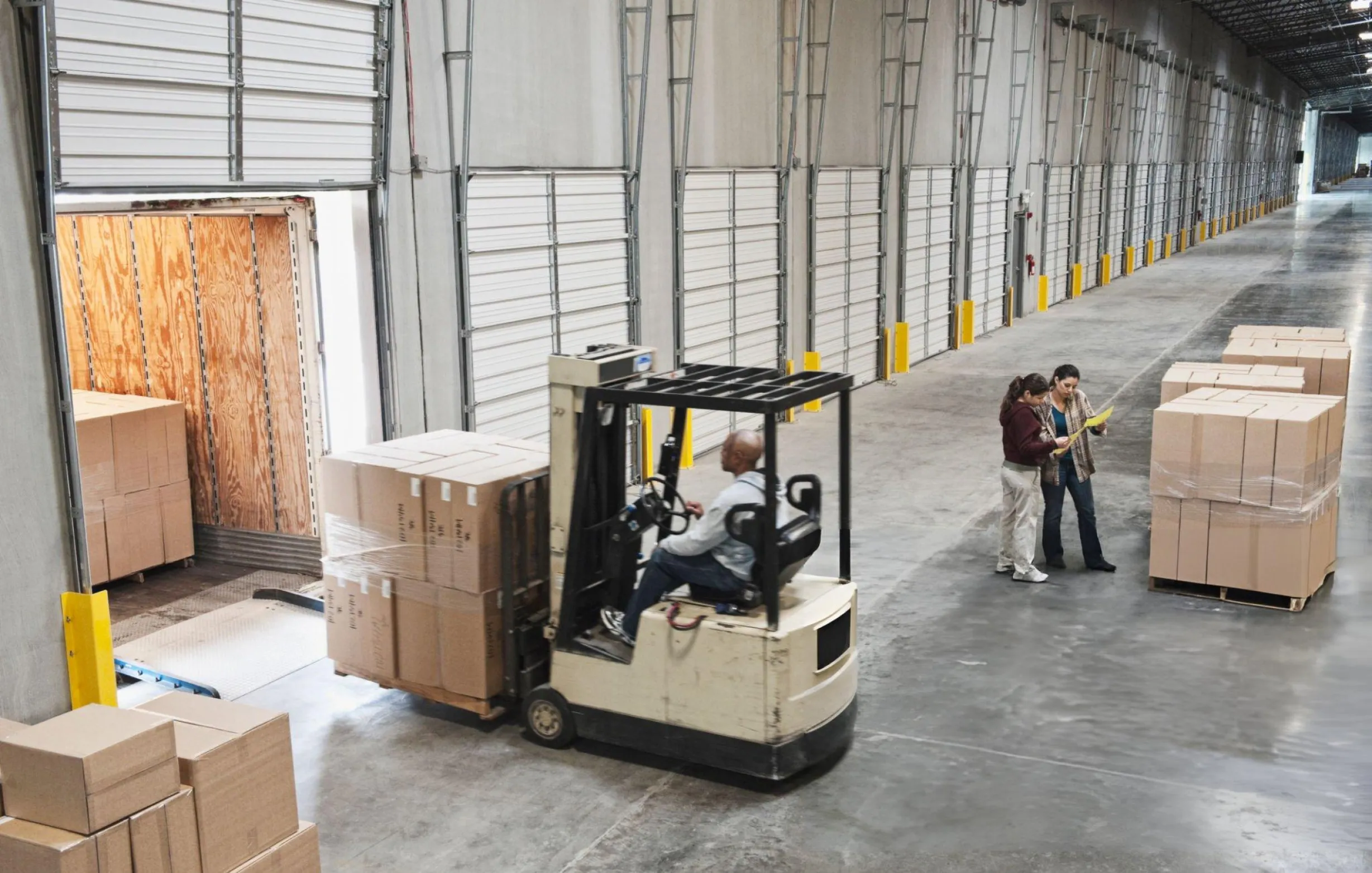
In shared zones, waiting goes both ways. Truck drivers stand on the dock apron while forklifts load their trailer. Pickers wait at a staging lane for a pallet that has not arrived, or a forklift waits for a picker who has not finished. Each short stop is harmless, but long ones put people inside a forklift route or show where the process stalls. Mode 11 tracks both classes in the same zone, so one camera covers the safety and the efficiency question.
01 · Zone
Shared apron, staging lane or handover point
02 · Trigger
Forklift or person stays past the set time
03 · Outputs
- Signal or beacon at the zone
- E-mail to the area owner
- Event in periodic reports
Step 1
Detect both classes in the zone
ISEE-CAM's on-device model recognizes forklifts and people up to 20 m from the camera. When either enters a zone drawn in the web interface, the camera starts timing how long it stays. People need no badge, so visiting drivers and contractors are included.
Step 2
Check the stay against the limit
You define the zones and threshold values in the interface. Short passes through the zone and normal handling stay below the limit and are ignored. Only a forklift or a person who remains inside longer than allowed produces an output.
Step 3
Signal, notify and report
Over the limit, a dry-contact output drives a beacon or tells your PLC, and an e-mail can go to the area owner. The input can enable the mode only during certain operations. Daily, weekly and monthly reports show where and how often limits were passed.
Where combined forklift and people dwell limits help
Dock aprons
Truck drivers often wait beside their trailer in the forklift loading path. A dwell limit on the apron alerts dock staff when someone stays in that path, and also flags forklifts that sit idle at the door instead of loading.
Staging and buffer lanes
Outbound staging lanes fill up with pallets, forklifts and pickers. Long stays show where orders wait for picking or trucks wait for pallets, and where people spend too long between moving vehicles.
Handover points
Line-side supermarkets and transfer points depend on forklifts and operators meeting on time. Timing both sides shows whether a truck is waiting for people or people are waiting for a truck, which helps balance shifts.
Inspection and hold areas
Goods held for quality checks often sit in a marked area that both inspectors and forklifts use. Limits on the area flag forklifts left parked there after drop-off, and staff who stay too long while trucks are still moving in and out.
Forklift and personnel waiting time specifications
- Detection targets
- Forklifts and people
- Detection range
- Up to 20 m from the camera
- Measured value
- Time each forklift or person stays in a defined zone
- Thresholds
- Zones and threshold values set in the web interface
- Outputs
- 1 input, 3 dry-contact outputs; OPC-UA, Modbus TCP, REST API
- Reporting
- E-mail notifications; daily, weekly and monthly reports
- Hardware
- No extra hardware; processing on the device, no cloud
Planning zones and limits for mixed traffic
- A view of the whole shared zone; in busy staging lanes, stacked pallets can hide people, so the camera should be mounted high enough to see over loads.
- Agree limits with both operations and OHS before go-live, since a safe stay for a person and an acceptable wait for a truck are rarely the same number.
- Mode 11 measures time in a zone. To alert the moment a forklift and a person are in the same area together, regardless of time, use Mode 5.
- It supports supervision and process review; it is not a collision avoidance device and does not slow or stop forklifts.
Camera dwell timing vs. time studies and badge systems
Most sites already estimate waiting times somehow; this is what each approach misses.
| Method | Covers | Gap |
|---|---|---|
| Manual time studies | Detailed view of one process on a few days | Snapshot only; people behave differently when observed |
| Badge or RTLS tracking | Location history for tagged staff and trucks | Misses visitors and drivers; needs tags and readers |
| Separate people and forklift sensors | Presence in a zone | No timing, no link between the two classes |
| ISEE-CAM Mode 11 | Times forklifts and people in the same zone, around the clock | Fixed field of view; reports overruns, not full movement history |
Questions & Answers
Frequently asked questions
How is Mode 11 different from Mode 10 and Mode 9?
Mode 10 times forklifts only, and Mode 9 times people only. Mode 11 does both in the same zone, which fits areas where trucks and staff share space, such as dock aprons and staging lanes. One camera then covers what would otherwise need two separate setups.
Is this a safety tool or an operations tool?
Both, and that is the point of combining the two classes. A person who stays too long in a forklift route is an exposure risk. A forklift that waits too long at a handover point is lost capacity. Mode 11 flags both from the same detection.
Does Mode 11 warn when a forklift and a person meet?
Not by itself. It reacts to time spent in a zone. If you need an immediate alert whenever a forklift and a person are in the same place, that is Mode 5, which can also slow compatible trucks through on-truck hardware.
Can we limit it to certain shifts or operations?
Yes. ISEE-CAM's trigger input can activate the mode only when needed, for example while a dock door is open or during loading hours, so you are not collecting overruns when the area is closed.
Are truck drivers who visit the site also counted?
Yes. Detection is purely visual, so anyone in the zone is timed, whether or not they carry a badge. That matters on dock aprons, where many of the people present work for carriers, not for you.
Plan a tailored deployment
Send us a short video of the shared area at a busy hour and tell us what counts as too long for a person and for a forklift there. We will propose zones, thresholds and camera placement.