AI safety camera alerts: a notification or an action?
AI safety camera alerts only help if they reach the person at risk. Compare dashboard notifications with relay and PLC outputs, second by second.
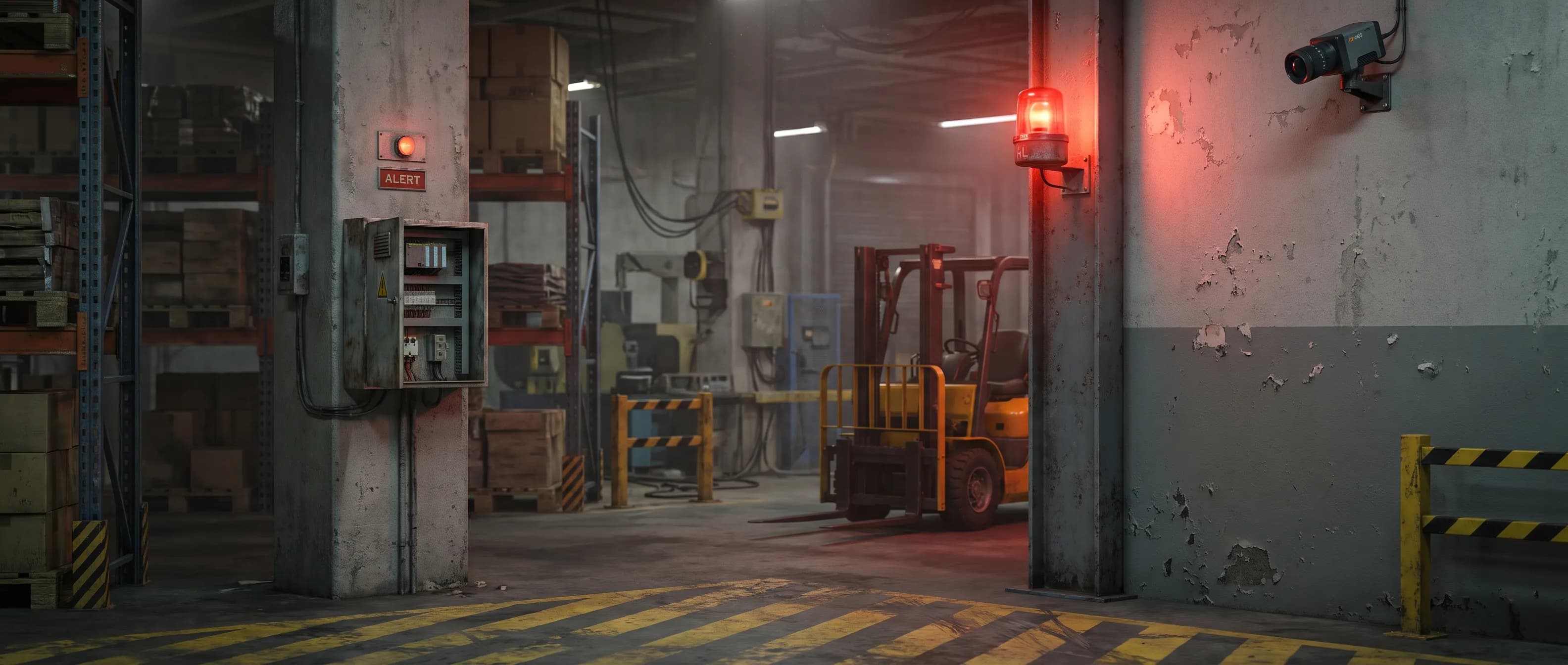
AI safety camera alerts can be accurate and still stop nothing. What matters is where the alert goes after the detection: to a dashboard someone may or may not be watching, or straight to a light, a horn, or a PLC on the floor.
Picture a distribution center at the start of second shift. The system correctly detects a forklift and a picker converging on the same blind corner. Within a few hundred milliseconds, an alert lands on the shift supervisor's dashboard. The supervisor is two aisles away, on the phone with a carrier. They see the alert four minutes later.
The detection was perfect. Nothing changed on the floor. Most buying conversations about AI safety cameras focus on detection accuracy. This post looks at the question that decides the outcome: what happens after the detection, and who gets the alert?
What is the difference between a notification and an action?
A notification tells a person that something happened. An action changes something on the floor without waiting for a person: it switches a warning light to red, sounds a horn, or sends a stop request to a PLC. In the first case, the last link in the chain is human attention. In the second, it is a relay.
That sounds like a wiring detail. It is not. An alert sent to a screen, an inbox, or a phone only works if someone is looking at that moment and can reach the hazard in time. Forklift-pedestrian collisions unfold in seconds.
How do AI safety camera alerts travel, step by step?
Put the two chains side by side and you can see where the time goes. The detection step is the same in both. The difference is everything after it.
Notification chain:
- The event starts: a forklift and a pedestrian approach a blind corner.
- The camera or a server processes the video and detects the conflict. If video goes to the cloud, network latency is added.
- A notification lands on a dashboard, an app, or an email.
- A person sees it. Right away if they are watching; minutes later if they are not.
- That person decides and reaches the floor: radio, shout, run.
Action chain:
- The event starts.
- The camera detects the conflict on the device.
- An output switches in under 100 ms: the corner light turns red, a horn sounds, a signal reaches the PLC.
- The driver and the pedestrian see and hear the warning directly. On compatible forklifts, additional hardware on the truck can also slow it down.
In the first chain, steps 4 and 5 have no fixed duration, and everything depends on them. In the second, the warning reaches the people inside the hazard.
Why does human reaction time decide the outcome?
People take roughly 1.5 seconds to react to an unexpected hazard, and that clock only starts once they notice it. A summary of human factors researcher Marc Green's 2000 analysis of driver brake reaction times puts the figure at about 0.7 seconds when the event is fully expected, about 1.25 seconds for an unexpected but familiar signal, and about 1.5 seconds for a surprise such as a pedestrian stepping out from the side (Visual Expert).
Road designers use a more cautious number. The Texas Department of Transportation, for example, assumes a brake reaction time of 2.5 seconds when it calculates stopping sight distance (TxDOT Roadway Design Manual).
Now do the math for a forklift at 6 mph. It covers about 8.8 feet every second. In 1.5 seconds it travels about 13 feet; in 2.5 seconds, about 22 feet, before the brakes even engage. And that is the best case, where the person who sees the warning is the one driving.
With a dashboard notification, the person reacting is usually not on the truck. They have to see the alert, reach the people on the floor, and then those people have to react too. That adds seconds, sometimes minutes.
Wouldn't a dedicated monitor operator be enough?
Partly, but people can only watch so many feeds at once. A study that tracked live CCTV operators found they spent more than 90% of their control-room time looking at a single spot monitor, with very little attention on the multi-screen wall (Stainer, Scott-Brown and Tatler, 2013). The study observed only two operators, so treat it as a direction, not a rate.
The same paper cites two older findings. In Tickner and Poulton's 1973 experiment, detection accuracy fell from 84% with nine monitors to 64% with 16. In Wallace and Diffley's 1998 survey, only 50% of operators said they felt comfortable watching up to four screens at once.
Most plants do not have a dedicated operator anyway. The alert goes to an EHS manager or a supervisor who has a full day of other work. If you are still relying on plain recorded footage, the gap is wider; we cover it in CCTV vs AI camera.
What are video analytics dashboards good for in workplace safety?
A lot, but a different job. Video analytics dashboards collect events in one place and turn them into trends, heat maps, and compliance reports. They help you understand yesterday and plan tomorrow. They do not stop the current second.
A good dashboard helps you:
- Surface near misses: count the events nobody reported and feed your near miss reporting program.
- Ground the risk assessment in data: see which corner, which shift, and which hour carries the risk.
- Measure whether a control worked: compare before and after.
- Target training: focus on the area and behavior where the problem lives, not a generic refresher.
Many sites have thin safety data, and a good dashboard fixes that. But if the chain runs through the network, there is one more limit: when the connection drops, alerts are delayed or never arrive.
Which approach fits which risk?
The question is not "which one?" but "which one for which risk?" Use this table in a purchasing meeting.
| Criterion | Notification only (dashboard, email, app) | Action on the floor (relay, PLC, horn) | Both |
|---|---|---|---|
| Who gets the alert? | Whoever is watching the screen | The driver and pedestrian in the hazard | Both |
| Does the chain depend on human attention? | Yes, decisively | No, the warning is on the floor | Not on the floor; yes for reporting |
| Time | Seconds to minutes, unpredictable | Under 100 ms from alert to output (on-device) | Immediate action, analysis later |
| If the internet drops | Alert may be delayed or lost | Keeps working on the device | Floor stays protected; reports wait |
| Reporting and trends | Strong | Limited | Strong |
| Best for | PPE compliance trends, audits | Collisions, suspended loads, machine zones | A full EHS program |
Tracking hard hat compliance across a site works fine with notifications. A forklift and a pedestrian meeting at the same corner does not.
Five questions to ask before buying an AI safety camera
When you compare offers, ask these alongside detection accuracy:
- How long from detection to a physical warning on the floor, and how is it measured?
- Does anyone need to be looking at a screen for the warning to happen?
- Does the camera have relay or dry-contact outputs, or does it only send software notifications?
- If the internet or the server goes down, does the floor warning keep working?
- Are the same events also logged for reporting and SCADA?
"Real-time alerts" is a common phrase in brochures. On its own it says little. The answers to these five questions say a lot.
Where does ISEE-CAM fit in this chain?
ISEE-CAM is an industrial AI camera built to run the action chain on the device. Detection happens in the camera, no cloud or internet connection is needed, and alert-to-output latency is under 100 ms. Video does not have to leave the facility.
The camera has three outputs and one input over dry contact. The outputs trigger a PLC, an alarm, a beacon, or a horn, or send a machine-stop request; the input takes a trigger from an external system. Events can also be shared with the PLC and SCADA layer over OPC-UA, Modbus TCP, and REST API, so the same detection drives both the floor warning and the report. Wiring and signal flow are on the ISEE-CAM PLC integration page.
Examples on the floor:
- Blind spot warning: detects forklifts and pedestrians at a blind corner and switches a traffic light to warning. More in our blind spot monitoring system guide.
- Crane area personnel presence: detects people in the load zone, raises an alarm, and signals for the crane to stop.
- Hazardous area personnel presence: detects people entering a dangerous machine zone.
One limit, stated plainly: these outputs work alongside the machine's safety system, not in place of it. Certified light curtains, safety relays, safety PLCs, and interlocks keep their safety function. The camera is an extra layer for the areas and scenarios they cannot see.
For the architecture behind on-device processing, see Edge AI vs cloud safety systems.
FAQ
How do AI safety camera alerts work?
The camera analyzes video and raises an alert when a rule is broken in a defined zone. The alert can go to a screen, an email, or straight to a light, horn, or PLC on the floor. Where it goes decides how fast it has an effect.
What does "real-time alert" actually mean?
It has no fixed definition. Ask how long it takes from detection to a physical warning on the floor, and whether anyone has to be watching a screen.
Is cloud-based video analytics enough to prevent incidents?
It is strong for compliance tracking and trends. For collisions and suspended-load risks that develop in seconds, the warning has to reach the floor directly, which needs an on-device layer with relay or PLC outputs.
Can an AI safety camera replace a light curtain?
No. Light curtains and safety relays keep the safety function. The camera is an additional detection layer that watches the area around them.
Conclusion: get AI safety camera alerts to the person at risk
A dashboard notification has value, but it depends on someone seeing it and reaching the floor in time. That is a delay measured in seconds, often minutes. AI safety camera alerts that are meant to stop incidents have to reach the people inside the hazard directly.
The strongest setup uses both: action on the floor, reporting at the desk. If you want to map your own alert chain and see which steps still depend on someone watching a screen, contact us.
Contact: info@isee-vision.com · +90 216 455 95 44
Sources
- Driver Reaction Time (summary of Marc Green's 2000 paper) — Visual Expert
- 4.11.1 Stopping Sight Distance — TxDOT Roadway Design Manual
- Stainer, Scott-Brown and Tatler (2013), Looking for trouble: a description of oculomotor search strategies during live CCTV operation — Frontiers in Human Neuroscience