Mode 12 · Crane safety
Crane zone personnel detection
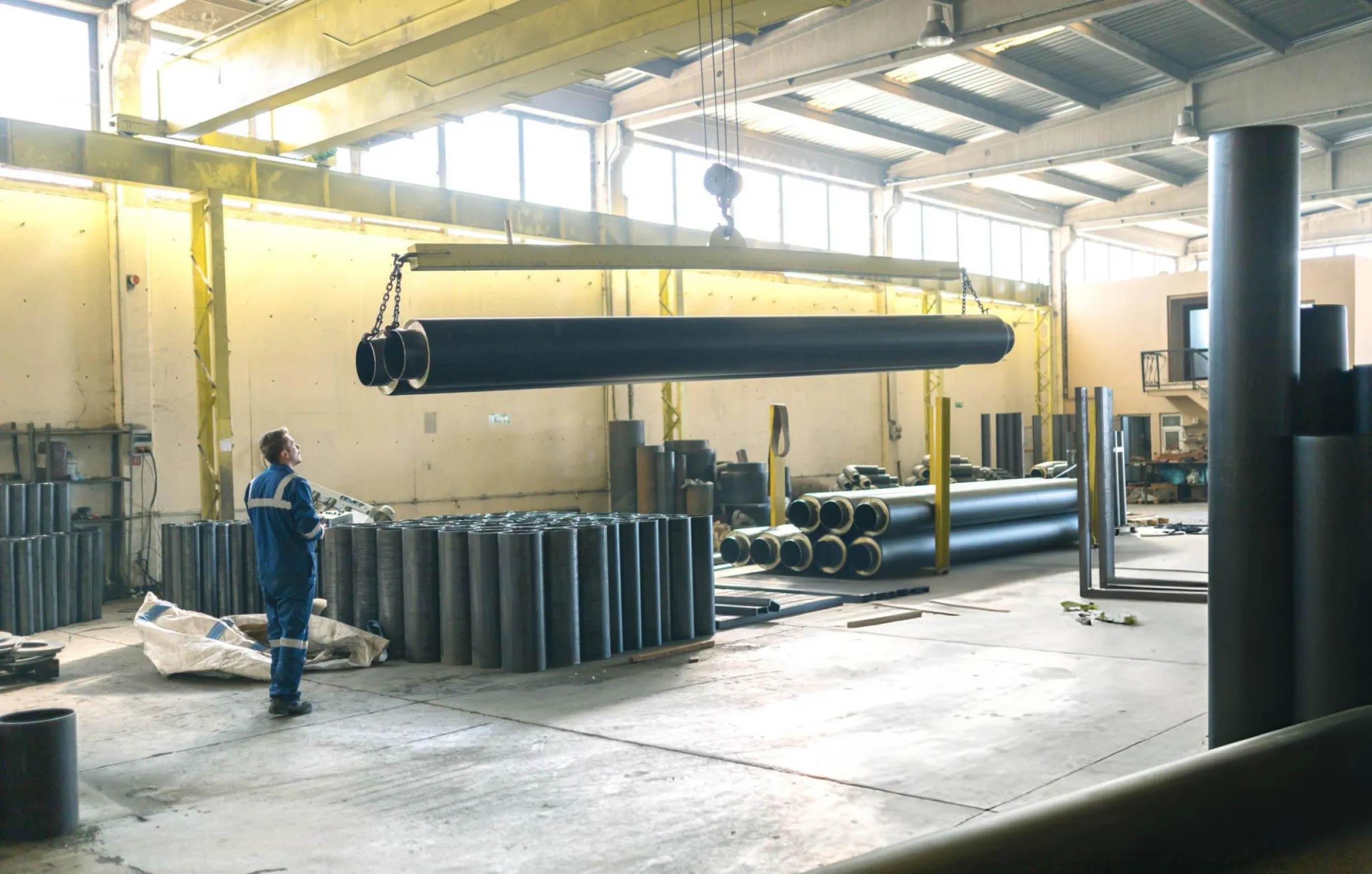
Mode 12 mounts ISEE-CAM on the crane and watches the load zone below it. When a person steps into the warning zone, the operator and the worker are alerted; if they enter the alarm zone, ISEE-CAM signals the crane to slow down or stop and holds it until the area is clear. It works on overhead, gantry, port and scrap-yard cranes.
- Detects people up to 20 m
- Warning and alarm zones
- Slows or stops the crane
How the crane safety camera decides when to stop
Most crane accidents happen when someone is under or beside a moving load that the operator cannot see: a maintenance worker on the service walkway, a rigger stepping back, a driver walking through the bay. Horns, lights and a banksman help, but they rely on people noticing in time. Mode 12 puts the eyes on the crane itself, so the protected zone travels with the load across the whole runway.
01 · Zone
Load zone under and around the crane
02 · Trigger
Person enters the warning or alarm zone
03 · Outputs
- Siren and beacon for the worker
- Alert in the operator cab
- Slow-down or stop signal to the crane
Step 1
Detect people under the load
ISEE-CAM is mounted on the bridge, trolley or crane leg and looks down at the working area. Its on-device model detects people up to 20 m away from above, in dust, shadows and mixed lighting, without tags or badges on the workers.
Step 2
Separate warning from danger
In the web interface you draw two zones: an outer warning zone and an inner alarm zone. A person in the warning zone triggers a horn or light so they step back; a person in the alarm zone escalates to a crane intervention. Zones are redrawn in minutes when the process changes.
Step 3
Act on the crane
ISEE-CAM's dry-contact outputs are wired into the crane control so the drive slows down or stops, and the crane stays blocked until the zone is clear. Alert-to-output latency is under 100 ms, and every event is logged for daily, weekly and monthly reports.
Field footage
Crane-mounted detection on a port crane
Restricted zone on a moving port crane
This clip is the live camera view from ISEE-CAM's web interface on a port crane leg. The blue polygon is the restricted zone along the rail. As soon as a worker walks into it, the camera draws a box around them and switches the output, shown as the red bar. The same zone stays locked to the crane as it travels along the quay.
Where crane zone detection is used
Iron and steel
Overhead cranes carrying coils, billets and scrap buckets over production bays. Mode 12 also covers the crane's service walkway, where maintenance staff can be exposed while the crane is still moving.
Scrap yards
Magnet and grab cranes working over scrap piles where people walk between trucks. A downward-looking camera on the crane spots people even when they are partly hidden by scrap.
Ports and shipyards
Gantry and portal cranes running on rails along the quay. Cameras on the crane legs watch the rail zone so nobody is caught between the moving leg and fixed equipment.
Boom cranes and lifting platforms
A camera placed under the basket of a boom-type crane watches the area beneath the load before and during lowering, where the operator's view is blocked by the basket itself.
Crane mode specifications
- Detection target
- People (crane mode does not check PPE or seat belts)
- Detection range
- Up to 20 m from the camera
- Zones
- Separate warning and alarm zones, drawn in the web interface
- Outputs
- 1 input, 3 dry-contact outputs; OPC-UA, Modbus TCP, REST API
- Response
- Alert-to-output latency under 100 ms, processed on the device
- Housing
- IP69K, −20 to +70 °C, ISO 16750-3 vibration rated
- Typical installation
- Usually within one planned crane stop, including cabling and the stop circuit
What to check before installing on a crane
- A clear view of the area under the load from the crane-mounted camera.
- A mounting point on the bridge, trolley or leg with a clear downward view of the load zone.
- Access to the crane control panel so a qualified electrician can wire the slow-down or stop signal.
- ISEE-CAM adds a detection layer to the crane's own safety devices and procedures; it does not replace limit switches, anti-collision systems or the lifting plan.
Crane camera vs. banksman, beacons and tags
Most sites combine several measures; this is where each one stops.
| Method | Covers | Gap |
|---|---|---|
| Banksman / flagman | Directs the lift, reacts to what they see | One person, one viewpoint, gets tired over a shift |
| Blue or red zone lights | Marks the hook area on the floor | Warns but cannot stop the crane |
| Tag-based proximity (UWB, RFID) | Detects people wearing a tag | Misses visitors and anyone without a working tag |
| ISEE-CAM Mode 12 | Detects any person in the zone and can stop the crane | Needs line of sight to the zone |
Questions & Answers
Frequently asked questions
Can the camera stop the crane automatically?
Yes. ISEE-CAM's dry-contact outputs are wired into the crane control, so a person in the alarm zone slows down or stops the crane and keeps it blocked until the zone is clear. The wiring is done with your maintenance team and follows the crane's existing safety circuit.
Does it work on overhead cranes in steel mills?
Yes. Overhead cranes in steel and scrap operations are the most common Mode 12 installations. The IP69K housing is rated from −20 to +70 °C, and the model is trained to find people from above in dusty, high-contrast bays.
Do workers need to wear a tag?
No. Detection is purely visual, so it also protects visitors, drivers and subcontractors who never received a tag. That is the main difference from UWB or RFID systems, which only see people wearing a working transmitter.
How long does installation take?
Usually within one planned crane stop. That covers mounting the camera, setting the zones, running the cables and wiring the slow-down or stop action. Teams plan it around a short crane shutdown.
Can Mode 12 check helmets or seat belts as well?
No. The crane mode detects people only. If you also need PPE checks in the same area, a second camera can run Mode 20 (helmet and vest) and drive its own alarm output.
Plan a tailored deployment
Send us a photo or short video from the crane's point of view and the crane type. We will suggest the camera position, the warning and alarm zones, and how to connect the stop signal.