Mode 15 · Forklift–door interaction
Forklift-activated door control for high-speed and sectional doors
Mode 15 opens an industrial door only when a forklift is in the approach zone, not for every pedestrian, pallet or shadow that moves nearby. ISEE-CAM detects forklifts up to 20 m away, sends the open signal to the door controller and keeps the door open while a forklift or a person is still in the zone. It suits high-speed and sectional doors between warehouse, production and cold areas.
- Forklifts detected up to 20 m
- Opens for forklifts, not passers-by
- Holds open while zone is occupied
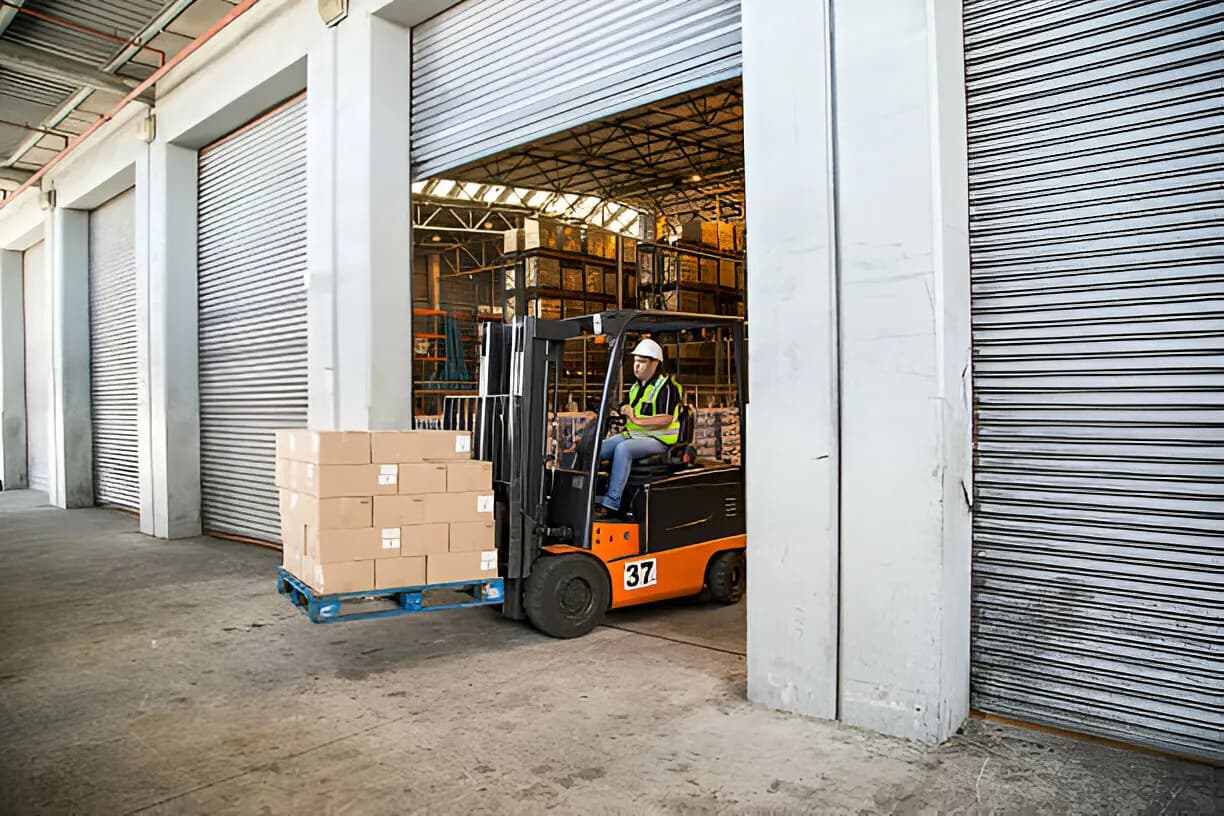
How a forklift-triggered door decides when to open
A door between the warehouse and a cold room or production hall opens hundreds of times a shift. Motion radars open it for anyone walking past, so warm air, dust and pests get in and the door wears out faster. Pull cords and push buttons make drivers stop, and a slow door tempts them to squeeze through before it is fully up. Mode 15 lets the door recognize what is coming and open only for the traffic it is meant for.
01 · Zone
Approach lane in front of the door
02 · Trigger
Forklift detected in the approach zone
03 · Outputs
- Open signal to the door controller
- Hold-open while forklift or person stays
- Warning light on the far side
Step 1
Recognize the forklift in the lane
ISEE-CAM is mounted above or beside the door and looks down the approach lane. In the web interface you draw the zone where a forklift should trigger the door. The on-device model classifies what it sees, so a forklift up to 20 m away counts, while a person walking across the lane or a pallet left nearby does not.
Step 2
Open early, hold while occupied
Because the camera sees the forklift before it reaches the door, the open signal can go out in time for the door to be up when the truck arrives. The door is held open while a forklift or a person is still in the zone, so it does not start closing on someone following the truck through.
Step 3
Close when the lane is clear
Once the zone is empty, the hold signal drops and the door controller runs its normal closing cycle with its own safety devices. A second output can light a warning on the other side of the door, and every opening is logged for daily, weekly and monthly reports.
Where forklift door automation pays off
Cold storage and food logistics
High-speed doors between the ambient dock and chilled or frozen rooms. Opening only for forklifts cuts needless cycles, which means less warm, humid air in the cold room and less ice building up around the doorway.
Warehouse and production transitions
Sectional or roll-up doors between a finished-goods warehouse and the production hall. Pedestrians use the side door; the camera keeps the main door shut until a forklift actually needs it, which helps with dust, drafts and heating costs.
Hygiene and dust-controlled areas
Doors into food, pharma or painting areas where every opening lets in dust or foreign matter. Mode 15 limits openings to real forklift passages and records how often the door opened per shift.
Busy cross-aisles at doors
Doors next to a main pedestrian route, where a motion radar opens for every passer-by. The camera ignores cross traffic, and a warning light on the far side tells people that a forklift is about to come through.
Forklift–door mode specifications
- Detection target
- Forklifts in the approach zone; people for hold-open
- Detection range
- Forklifts up to 20 m from the camera
- Door interface
- Dry-contact open/hold signal to the door controller, or via PLC
- I/O
- 1 input, 3 dry-contact outputs; OPC-UA, Modbus TCP, REST API
- Enable input
- Input can activate the mode only when needed, e.g. by shift
- Response
- Alert-to-output latency under 100 ms, processed on the device
- Housing
- IP69K, −20 to +70 °C, DC 12–24 V
What to plan before connecting a camera to a door
- A door controller that accepts an external open or hold-open command; the door installer or your maintenance team makes the connection.
- ISEE-CAM is not a certified door safety sensor. Keep the door's safety edge, photocell and closing protection as specified by the door manufacturer.
- A clear view down the approach lane, with enough light; racks or parked trucks that hide the lane shorten the warning time.
- Rated down to −20 °C; on the cold side of a freezer door, the mounting position is agreed in the pre-study.
Forklift door camera vs. radar, induction loops and pull cords
Each trigger answers a different question; only some of them know whether the thing approaching is a forklift.
| Method | Covers | Gap |
|---|---|---|
| Microwave or PIR motion sensor | Opens for anything moving toward the door | Pedestrians, cross traffic and swinging loads cause needless openings |
| Floor induction loop | Detects metal vehicles over the loop | Fixed position, cut into the floor; no early or flexible zone |
| Pull cord or push button | Opens only when the driver asks | Driver stops or reaches out; doors get left open |
| ISEE-CAM Mode 15 | Opens for forklifts, holds while people or forklifts remain | Not a door safety sensor; needs a view of the lane |
Questions & Answers
Frequently asked questions
Why not just use the door's motion radar?
A radar opens for any movement in its field, including people walking past and passing traffic. On a cold-room or production door, each needless opening costs energy and lets in dust. Mode 15 classifies the object and opens only for a forklift, while still holding the door for people who are in the zone.
Will the door close on a person walking behind the forklift?
Mode 15 keeps the door open as long as a forklift or a person is detected in the zone. The door's own photocell and safety edge stay in place and remain the protection during closing. The camera adds a recognition layer; it does not replace those devices.
Does it reduce energy loss in cold storage?
It reduces the number of openings, which is where the loss comes from. Fewer needless cycles mean less warm air entering the cold room and less wear on the door. We do not quote a fixed saving, because it depends on your door, traffic and temperatures.
Which doors can it control?
Any automatic door whose controller accepts an external open or hold-open signal, typically high-speed roll-up and sectional doors. ISEE-CAM sends the signal by dry contact or through a PLC. Share the door model with us and we will check the connection.
Can the same camera warn pedestrians on the other side?
Yes. ISEE-CAM has three outputs. One drives the door, and another can switch a beacon or light on the far side, so people know a forklift is about to come through. This helps at doors where pedestrian and forklift routes meet.
Plan a tailored deployment
Send us a short video of forklift traffic at the door, the door type and its controller model. We will propose the camera position, the approach zone and how to wire the open signal.