Mode 21 · PPE access control
PPE-checked access control at entry points
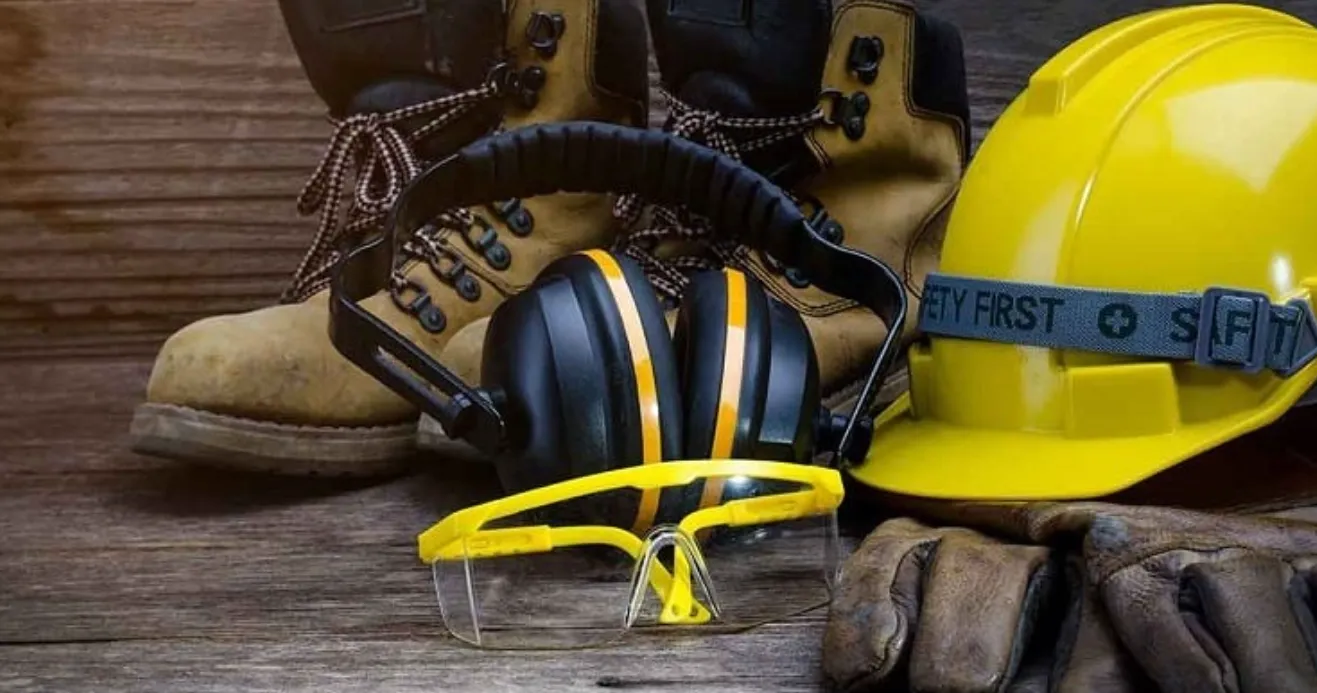
Mode 21 checks PPE at the entrance to a hazardous area and only lets people through when they wear everything the area requires. You pick the items in the web interface from helmets, vests, safety shoes, gloves, glasses, ear protection, masks and safety harnesses. If one is missing, ISEE-CAM keeps the turnstile, door or barrier closed and records the attempt.
- Up to 8 PPE types to choose from
- Blocks passage if an item is missing
- Item list set per entry point
How PPE access control decides to open the gate
Each hazardous area has its own PPE rule: glasses and gloves in the chemical store, ear protection in the press hall, a harness before roof access, a helmet in the coil warehouse. At the door, these rules depend on a sign and on people remembering. A guard can check, but not at every gate on every shift. Mode 21 turns the rule into a condition for opening the door, so nobody enters with an item missing.
01 · Zone
Check area in front of the gate or door
02 · Trigger
Required PPE item missing on the person
03 · Outputs
- Gate stays locked
- Audible or visual warning
- Violation record and report
Step 1
Choose the PPE list for each entry
In the web interface you tick the items this entry requires: helmet, vest, safety shoes, gloves, glasses, ear protection, mask or safety harness. A paint shop gate can ask for a mask and glasses, a press hall for ear protection. If your site uses special PPE, a custom model can be developed for it.
Step 2
Check the person at the gate
As someone steps into the check area, ISEE-CAM's on-device model looks for each required item on that person. Nothing has to be scanned or worn as a tag. The check happens in the time it takes to walk up to the door, without a guard.
Step 3
Open only when complete
If every item is present, a dry-contact output releases the turnstile, door lock or barrier. If one is missing, the gate stays closed and a light or buzzer tells the person to go back and complete their PPE. Each refused entry is recorded with alerts and reports.
Field footage
Overhead helmet check in a steel coil warehouse
Helmet check from above between coil stacks
The camera hangs above an aisle in a steel coil warehouse. As a worker in a vest walks between the coil stacks, the model draws one box around the person and a second around the head, where the helmet check takes place. A second person entering at the top is picked up too. At a gate, this same check releases or holds the door.
Entry points that need a PPE check
Welding rooms and hot work
In one automotive plant, entry to a welding room is monitored: people are counted as helmeted or non-helmeted, and when a non-helmeted person enters, the machines inside are locked out. Mode 21 extends the same idea to glasses, gloves and other items.
Production and hygiene areas
Plants asked for PPE checks at the production entry combined with clothing and hygiene checks, such as masks and work clothes. The item list is set for that door, and site-specific clothing can be added with a custom model.
Steel and coil warehouses
Crane bays and coil stores where a helmet and vest are mandatory before entering. An overhead or wall camera at the hall entrance checks both before the access door opens.
Chemical and battery areas
Stores and charging rooms where glasses, gloves and masks are required. The gate does not open for someone who forgot their glasses, and the attempt shows up in the weekly report.
PPE access control specifications
- Selectable PPE
- Helmet, vest, shoes, gloves, glasses, ear protection, mask, safety belt/harness
- Custom PPE
- Site-specific equipment on request
- Gate control
- 3 dry-contact outputs for turnstile, door lock, barrier or warning light
- Integration
- 1 input; OPC-UA, Modbus TCP, REST API
- Records
- Violation log, real-time alerts, e-mail, daily/weekly/monthly reports
- Processing
- On the device, no server or cloud; alert-to-output under 100 ms
What a PPE-checked entry needs on site
- The camera can only check what it sees. Shoes and gloves need a full-body view, so the check area is laid out where people stop or walk straight toward the camera.
- A gate that can be controlled by a dry contact: turnstile, electric door lock or barrier. Emergency exit routes must stay free; the camera controls entry, not exit.
- One person at a time in the check area gives the clearest result. Wide entrances or groups may need a lane layout or a second camera, sized from a photo or site survey.
- Even lighting at the entry; strong backlight from an open door behind the person makes small items like glasses harder to see.
PPE access control vs. guards, badges and signs
Most entry points already have one of these; here is what each actually checks.
| Method | Covers | Gap |
|---|---|---|
| Security guard check | Full judgment, can explain the rule | Not at every gate on every shift; checks get looser over time |
| Badge reader / turnstile | Who is allowed to enter | Says nothing about what the person is wearing |
| Signs and mirrors at the door | Reminds people to self-check | No enforcement, no record |
| ISEE-CAM Mode 21 | Required PPE on each person, gate opens only when complete | Needs a clear view of each item; one person at a time works best |
Questions & Answers
Frequently asked questions
Which PPE items can Mode 21 check?
Helmets, vests, safety shoes, gloves, glasses, ear protection, masks and safety belts or harnesses. You choose which ones apply to each entry in the web interface. If your site uses equipment outside this list, such as special protective clothing, a custom model can be developed.
Can it work with our existing turnstile or door?
Usually yes. ISEE-CAM's dry-contact outputs act like a release button for turnstiles, electric door locks and barriers, and it can also talk to a PLC or access system over OPC-UA, Modbus TCP or a REST API. Badge control can stay in place alongside it.
What happens if someone without a helmet tries to enter?
The gate stays closed and a light or buzzer signals that an item is missing. The person completes their PPE and steps back into the check area, and the gate opens once everything is detected. The refused attempt is logged and can trigger an e-mail.
Do I still need Mode 20 inside the area?
It depends on the area. Mode 21 makes sure people enter with full PPE, but it cannot see a helmet taken off later. Where that is a real risk, a Mode 20 camera inside the area keeps checking helmets and vests and raises an alarm during the shift.
Is the check slow at shift change?
The check runs on the device as people walk up to the gate, so there is no scanning step. At busy entries, layout matters more than the camera: a lane that brings people one by one toward it keeps the flow steady. We plan it from a video of the entrance.
Plan a tailored deployment
Send us a photo or video of the entrance, the type of gate you have and the PPE list that applies. We will propose the camera position, the check area and how to connect the gate.