Mode 4 · Forklift zone control
Forklift detection in restricted zones
Mode 4 watches the areas where forklifts are not allowed to go: pedestrian walkways, assembly cells, hygiene zones, cold room doorways. When ISEE-CAM sees a forklift cross into one of these zones, it fires a siren, beacon or floor projection, logs the event, and can slow or stop compatible trucks through additional hardware fitted on the forklift.
- Detects forklifts up to 20 m
- Multiple no-go zones per camera
- Optional on-truck slow-down
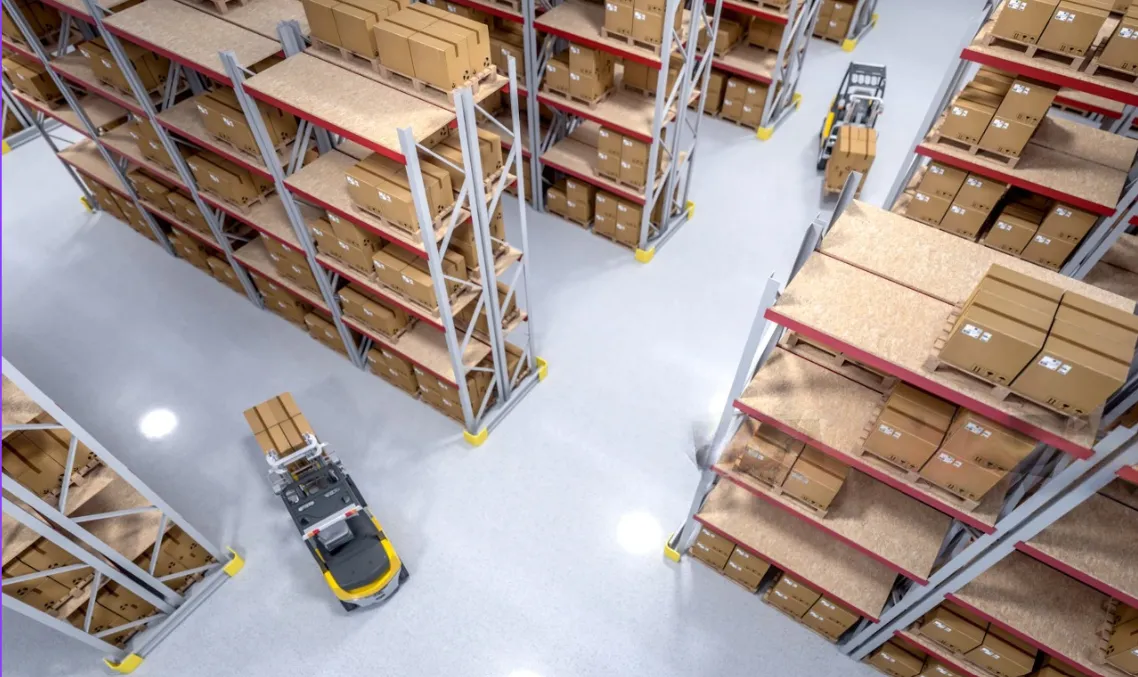
How the forklift detection camera enforces no-go zones
Every site has places where forklifts should never be: the marked walkway beside the racking, the manual assembly cell, the doorway of a cold room that is not rated for truck traffic. Floor paint and signs define those rules, but nothing enforces them on a busy shift. A driver takes a shortcut, nobody sees it, and the near miss is never reported. Mode 4 turns the no-go line into a monitored boundary that reacts the moment a forklift crosses it.
01 · Zone
Areas closed to forklift traffic
02 · Trigger
A forklift enters a defined no-go zone
03 · Outputs
- Siren, beacon or floor projection
- E-mail notification with report
- Slow-down or stop via on-truck kit
Step 1
Recognize forklifts, not motion
ISEE-CAM runs a forklift detection model on the device, 24/7. It reacts to the truck itself, up to 20 m from the camera, so people walking through the same area, pallets and swinging doors do not trigger the alarm the way a motion or beam sensor would.
Step 2
Draw the zones forklifts must stay out of
In the web interface you outline each restricted area on the live image: a walkway, a cell entrance, a doorway. Several zones can run on one camera. The trigger input lets your PLC switch monitoring on only when needed, for example during manual assembly or while a door is open.
Step 3
Warn, record and, if needed, slow the truck
When a forklift enters a zone, the dry-contact outputs drive a siren, beacon or projection and an e-mail goes out. On compatible forklifts, additional on-truck hardware can reduce speed or stop the truck. Alert-to-output latency is under 100 ms, and every entry appears in daily, weekly and monthly reports.
Where forklift zone monitoring is used
Warehousing and logistics
Marked pedestrian walkways run alongside the racking and forklift aisles. Mode 4 alerts the moment a truck cuts across the walkway, which gives the OHS team evidence for retraining instead of relying on complaints from pedestrians.
Automotive and assembly
Manual assembly cells and line-side workstations are closed to forklifts, with material delivered to a fixed point. A camera above the cell entrance flags any truck that drives past the delivery point into the work area.
Cold storage and food
Some cold room doorways, curtains and hygiene corridors are not designed for forklift traffic. Mode 4 warns the driver before the truck damages the door or carries dirt into a clean zone, and logs each entry by time.
Production halls
Areas around test benches, maintenance bays or temporary storage can be closed to forklifts for a few hours or a whole shift. Zones are redrawn in the interface instead of moving barriers and repainting floors.
Forklift presence mode specifications
- Detection target
- Forklifts (people are ignored in this mode)
- Detection range
- Up to 20 m from the camera
- Zones
- Multiple restricted zones per camera, drawn in the web interface
- Outputs
- 1 input, 3 dry-contact outputs; OPC-UA, Modbus TCP, REST API
- Alerts
- Siren, beacon, projection; e-mail notifications and reports
- Truck intervention
- Slow-down or stop on compatible forklifts with on-truck hardware
- Processing
- On the device, no cloud; alert-to-output latency under 100 ms
What to check before setting up forklift no-go zones
- A mounting point with a clear view of the zone boundary, so trucks are seen before they are deep inside the area.
- Slowing or stopping a forklift needs additional hardware on each truck; compatibility is checked per forklift model before quoting.
- Mode 4 reacts to forklifts only. If the risk is a forklift meeting a person, use Mode 5, which looks for both at once.
- It adds monitoring to your traffic plan, floor marking, physical barriers and speed limits; it does not replace them or the forklift's own safety devices.
Forklift detection camera vs. barriers, signs and tags
Restricted zones are usually protected by several layers; this is where each one stops.
| Method | Covers | Gap |
|---|---|---|
| Floor marking and signs | Shows where forklifts may not drive | No enforcement, no record of violations |
| Fixed barriers and bollards | Physically blocks the route | Inflexible; gets in the way when access is sometimes needed |
| Tag or transponder zone systems | Detects trucks fitted with a tag | Needs hardware on every truck and readers at every zone |
| ISEE-CAM Mode 4 | Sees any forklift entering, alerts and logs it | Needs line of sight; stopping requires on-truck kit |
Questions & Answers
Frequently asked questions
Can Mode 4 stop a forklift that enters a restricted zone?
Yes, on compatible forklifts. The camera sends its output to additional hardware installed on the truck, which reduces speed or brings it to a stop. Without that kit, Mode 4 still warns the driver with a siren, beacon or projection and records the entry.
Will a person walking into the zone trigger the alarm?
No. Mode 4 is trained to react to forklifts, so pedestrians in a walkway do not set it off. If you need to know when a person and a forklift are in the same area, Mode 5 handles that combined case.
Can a zone be closed to forklifts only at certain times?
Yes. ISEE-CAM has a trigger input that can enable monitoring only when it is needed, for example while a door is open or a manual operation is running. You can also redraw or remove zones in the web interface as the layout changes.
Do we need to fit tags or reflectors on our forklifts?
No. Detection is visual, so forklifts from rental fleets, subcontractors or other buildings are seen the same way as your own. On-truck hardware is only needed if you want the camera to slow or stop the forklift.
How do we prove who entered and when?
Every detection creates an event with a timestamp. E-mail notifications go out in real time, and daily, weekly and monthly reports show how often each zone was violated, which helps target driver training.
Plan a tailored deployment
Send us a photo of each area forklifts must stay out of and tell us which forklift models you run. We will propose camera positions, zone shapes and whether on-truck slow-down is possible for your fleet.