Mode 16 · Personnel–door interaction
Person-activated door control for pedestrian and hygiene doors
Mode 16 opens an automatic door when a person is detected in the zone in front of it and keeps the door open for as long as someone is still there. Forklifts, carts and moving goods do not trigger it. ISEE-CAM detects people up to 25 m away, signals the door controller by dry contact or PLC, and logs every opening for reports. It suits pedestrian, cold-room and hygiene-zone doors.
- People detected up to 25 m
- Opens for people, not vehicles
- Stays open while a person is there
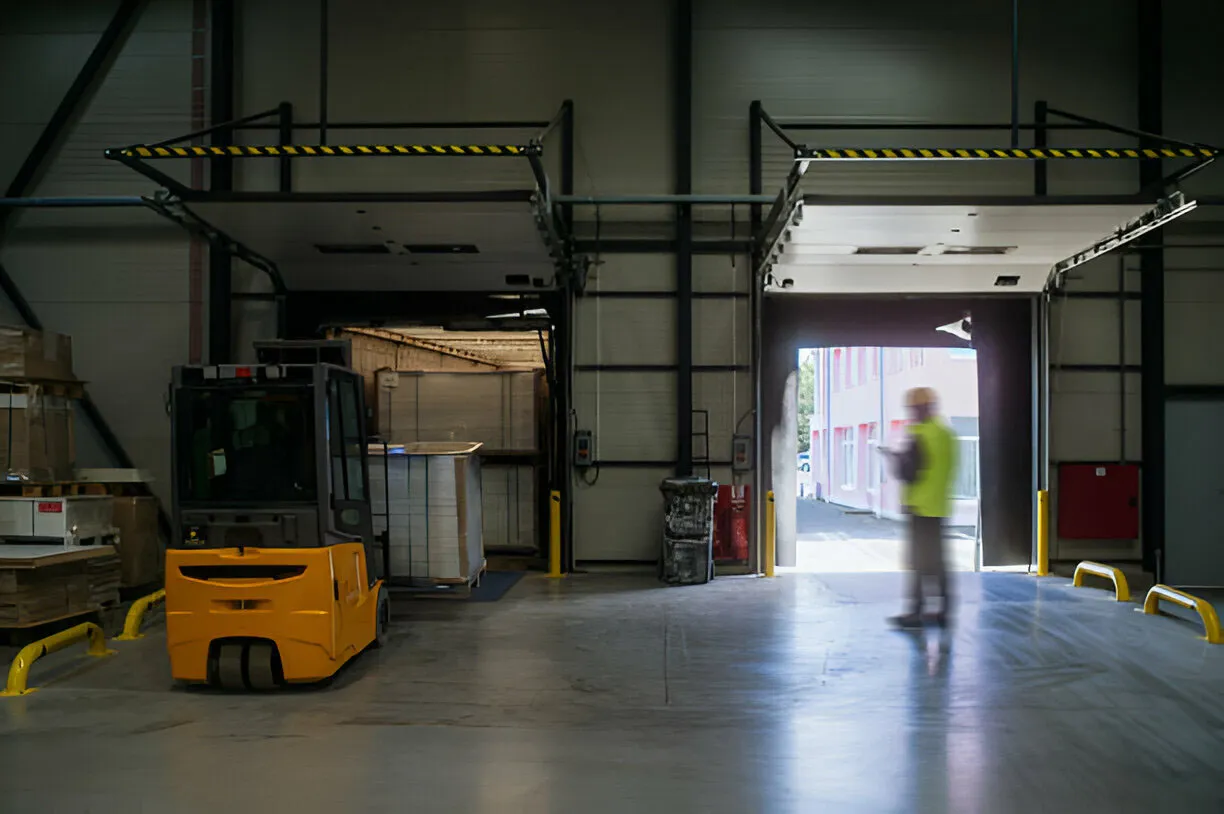
How a person-detecting door camera opens and holds the door
In a hygiene zone, pedestrian doors they should open hands-free, so nobody touches a button with clean gloves. Next to a forklift route they should stay shut when a truck passes. At a cold room they should not open for a pallet sliding by. A standard motion sensor or photocell reacts to anything that moves, and a timer can close the door on someone who stops in the doorway. Mode 16 opens the door for people only and holds it while they are there.
01 · Zone
Pedestrian approach area at the door
02 · Trigger
Person detected in the door zone
03 · Outputs
- Open signal to the door controller
- Hold-open while a person remains
- Optional beacon or audible alert
Step 1
Detect people, ignore vehicles
ISEE-CAM is mounted above or beside the door and watches the walkway in front of it. You draw the door zone in the web interface. The on-device model detects people up to 25 m away and tells them apart from forklifts, carts or pallets, so only a person in the zone can open the door.
Step 2
Hold the door while someone is there
The camera keeps sending the open signal while a person is detected in the zone. Someone who stops in the doorway, waits for a colleague or pushes a trolley through slowly is not caught by a closing timer. When the zone is empty, the door controller closes the door with its own safety devices active.
Step 3
Switch on when needed, report every opening
The camera's input can enable the mode only when needed, for example during production hours or when a hygiene zone is in use. The other outputs can drive a beacon or audible alert. Every opening is logged and summarized in daily, weekly and monthly reports.
Where person-activated doors make a difference
Food and pharma hygiene zones
Doors between changing rooms, hygiene locks and production. Staff walk through with clean gloves and should not touch a button or handle; the door opens when they arrive and closes once they are through, limiting foreign matter entry.
Cold-room personnel doors
The pedestrian door beside the main cold-room door. It opens only for staff, not for pallets or trucks moving past, so the cold room loses less temperature through needless openings.
Doors beside forklift routes
Pedestrian doors that sit next to a busy forklift aisle. A motion sensor opens them every time a truck passes; Mode 16 keeps them closed until a person actually comes to the door.
Corridors between offices and production
Doors that separate quiet, heated office areas from the noise, dust and drafts of a production hall. Opening only for people keeps the separation intact and still lets staff pass with their hands full.
Personnel–door mode specifications
- Detection target
- People in the door zone; vehicles and goods ignored
- Detection range
- Up to 25 m from the camera
- Door interface
- Dry-contact open/hold signal or PLC communication
- I/O
- 1 input (enable), 3 outputs; OPC-UA, Modbus TCP, REST API
- Extra alarms
- Beacon, audible alert or projection on the spare outputs
- Reporting
- Daily, weekly and monthly door-trigger reports
- Housing
- IP69K, −20 to +70 °C, 95×60×70 mm, 500 g
What to check before replacing a door sensor
- An automatic door whose controller accepts an external open or hold-open command, connected by the door installer or a qualified electrician.
- ISEE-CAM is not a certified door safety sensor. Keep the door's own photocell, safety edge or presence sensor that protects people during closing.
- Mode 16 opens for any person; it does not identify who they are. Where only authorized staff may enter, keep a card reader or access control in the loop.
- A clear view of the walkway in front of the door; glass reflections or a door leaf that blocks the view are checked during the pre-study.
Person-detecting camera vs. motion sensors, photocells and push buttons
Pedestrian doors usually rely on one of these; the question is what each one cannot tell apart.
| Method | Covers | Gap |
|---|---|---|
| Microwave or PIR motion sensor | Opens for movement toward the door | Cannot tell a person from a forklift, cart or pallet |
| Photocell beam | Senses something in the doorway line | Covers a single line, not the approach area |
| Push button or elbow switch | Opens only when someone asks | Needs a free hand; touch point in hygiene zones |
| ISEE-CAM Mode 16 | Opens for people and holds while they remain | Not a door safety sensor or access control |
Questions & Answers
Frequently asked questions
What is the difference between Mode 16 and a regular sensor door?
A regular sensor door opens for anything that moves in its field. Mode 16 opens only when it detects a person in the zone and keeps the door open while that person is there. A forklift passing, a cart rolling by or a pallet being moved does not open it.
Can it replace the photocell on our automatic door?
No. The photocell or safety edge protects people while the door closes and should stay in place. Mode 16 decides when the door should open and stay open; the door's own safety devices still guard the closing movement. The two work together.
Is it suitable for hygiene zones in food or pharma plants?
Yes, that is one of its main uses. Staff with clean gloves do not need to touch a button or handle, and the door opens only for people, which limits needless openings and foreign matter entry. The IP69K housing withstands washdown.
Can we turn the mode off outside working hours?
Yes. ISEE-CAM's input can be used to activate the mode only when needed, for example from a shift signal or a key switch. Outside those times the door can follow its normal mode or stay closed, depending on how the door controller is set up.
Does Mode 16 control who is allowed through?
No. It detects people, not identities. For doors that only certain staff may use, combine it with a card reader or access control system. Mode 16 then makes the door hands-free for people who are already allowed in.
Plan a tailored deployment
Send us a photo or short video of the door and the walkway in front of it, plus the door controller model. We will suggest the camera position, the door zone and how to wire the open signal.